Re-Authenticate Shopify-ShipHero Connection
Re-Authenticate Your Shopify-ShipHero Connection
- Navigate to My Account > Stores and tap the Settings button located under Actions.
- At the bottom of the page you will find a section called Re-Authenticate Your Store.
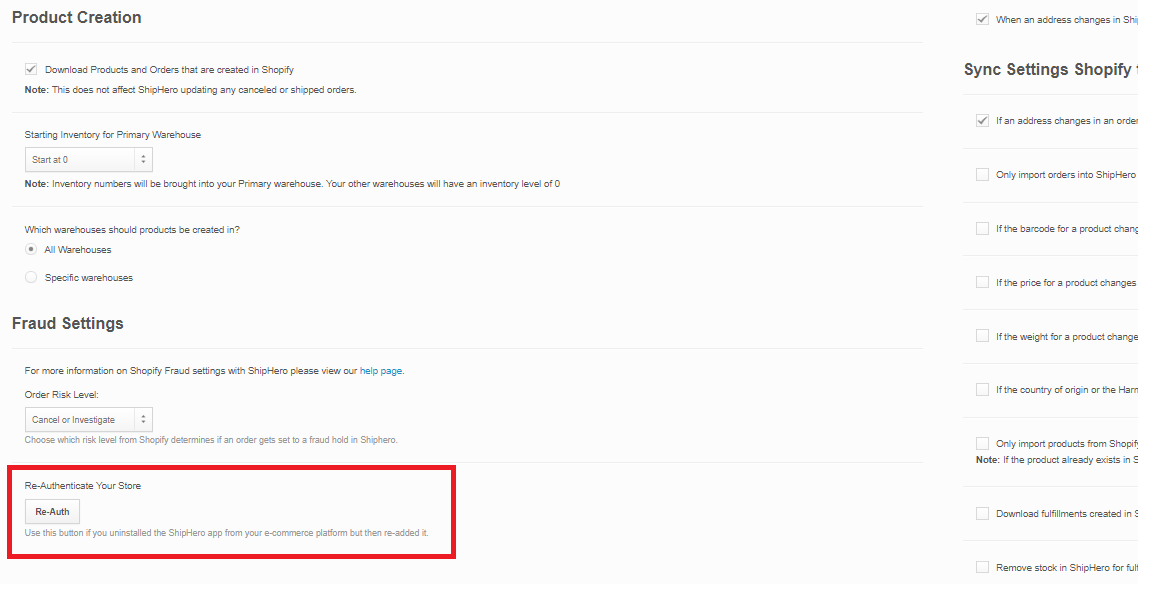
- Click Re-Auth.
- You will be redirected to log into your Shopify store
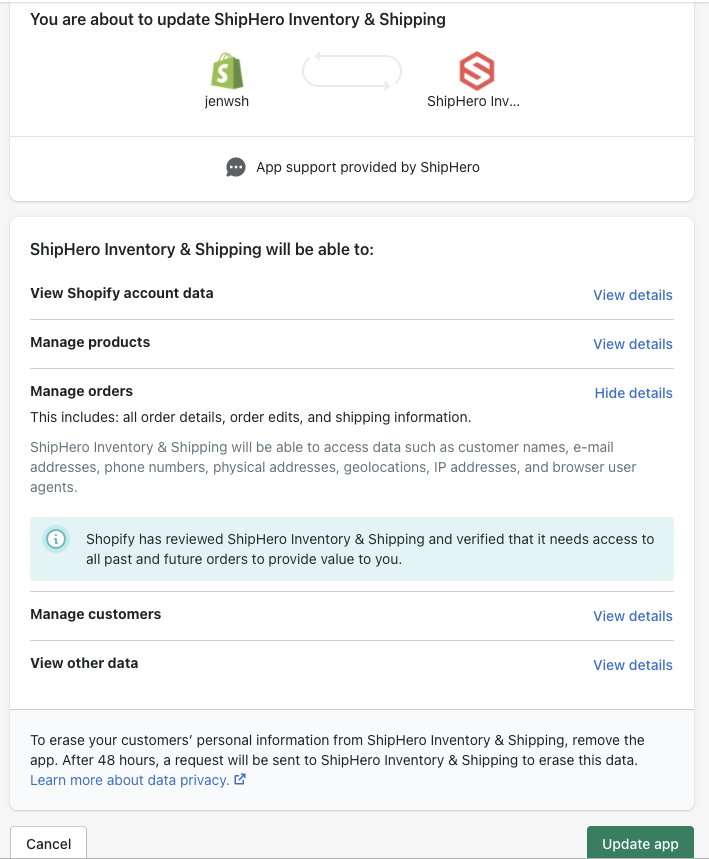
- You will see a message titled: "You are about to update ShipHero Inventory & Shipping" outlining the data that the ShipHero app has access to based on the selections you made when first setting up the connection.
- Click Update app.