
Manage Vendors
Manage Vendors
Create New Vendor:
-PURCHASE ORDERS -> VENDORS.
-ADD VENDOR(top right corner).
-Add new vendor name. Note: Email Field is required(fake email is acceptable).
Assign Vendor to products:
-INVENTORY->PRODUCTS
-Select the products in which to assign the vendor
-Click MANAGE VENDORS (top left).
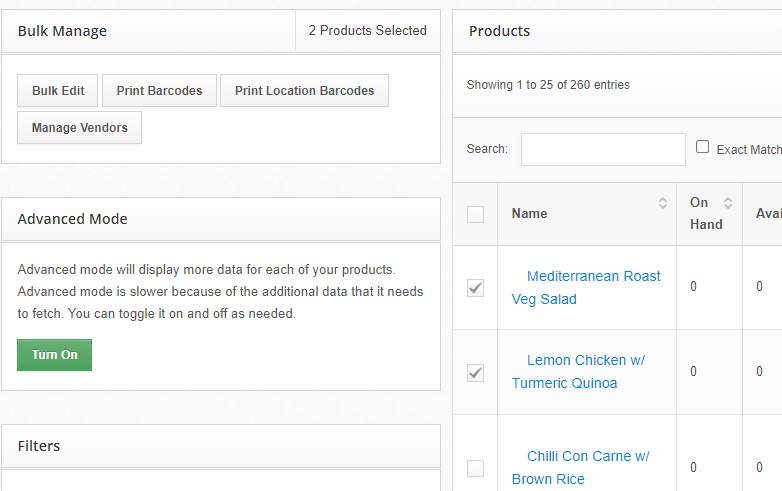
-Select the Vendor from the drop down list.
-Click PROCESS.